Agent Studio
A new canvas with your agent card in the middle, where requests come in on the left, and the tools it works with on the right.
 endue
endueThree weeks of fixes to the places where runs, sessions, and models quietly went wrong. Spaces put several agents on one job, and you can talk to your agent out loud. Plus a rebuilt Studio canvas, tools for finding and organizing long conversations, plans you approve before work starts, and four new connectors.

A new canvas with your agent card in the middle, where requests come in on the left, and the tools it works with on the right.
Hop between questions with the ticks on the left, search inside a conversation with ⌘F, and group conversations into folders.
Read the plan before work starts. Tools you use all the time can be allowed once for this agent.
Double charges, a reply that never ends, input that vanishes. We closed the paths that let these happen.
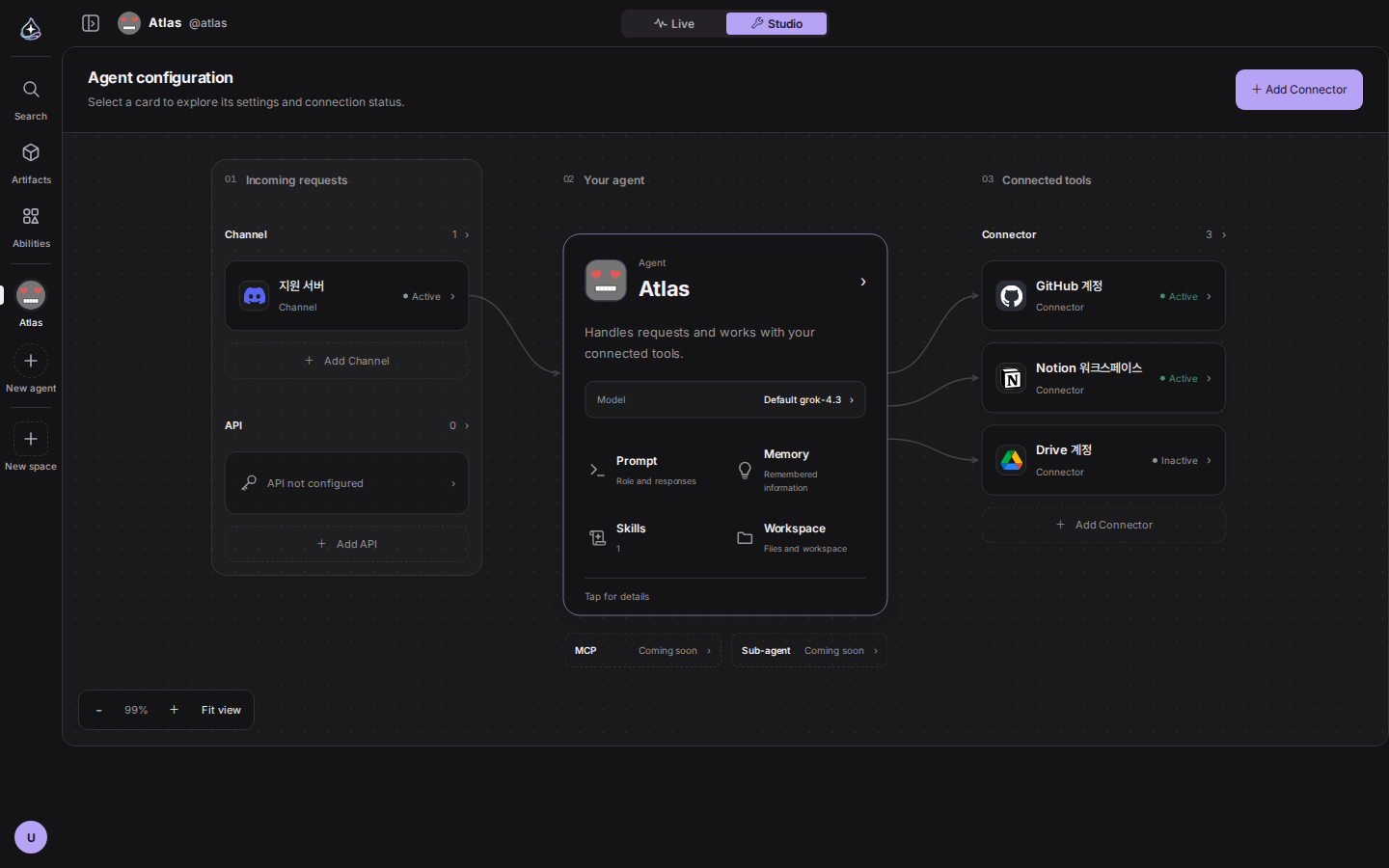
We redrew the canvas. Your agent card stands in the middle. The channels and API that bring requests in stand on the left, and the connectors it works with on the right. Name and connection status live inside each card, so there are no shapes to decode. Click a card and edit it in the side panel.
While data loads, skeleton cards hold each spot, so an empty canvas is never mistaken for an empty setup. The dot grid follows pan and zoom, and dragging no longer selects text. The skill and connector sections gained a button to the catalog, and the stop button and API key revocation now actually work.
Some work is too big for one agent. Create a space, put several agents in it, and the work gets split up inside. When you add one, pick an agent you already use or build a new one right there.
Write the job in the front conversation and it becomes a work item. To choose who
takes it, type @ and pick a name. Only the agents in this space are offered.
Each one then works in its own conversation, and progress comes back to the
front. You can tell who is speaking from the avatar and name beside the reply.
Results are submitted as locked versions. Ask for a revision later and the earlier version stays where it is. When attempts keep failing, or the call needs a person, the work item moves to the review queue. There are ceilings on how many items run at once and how many times each retries, so one space cannot burn through your account.
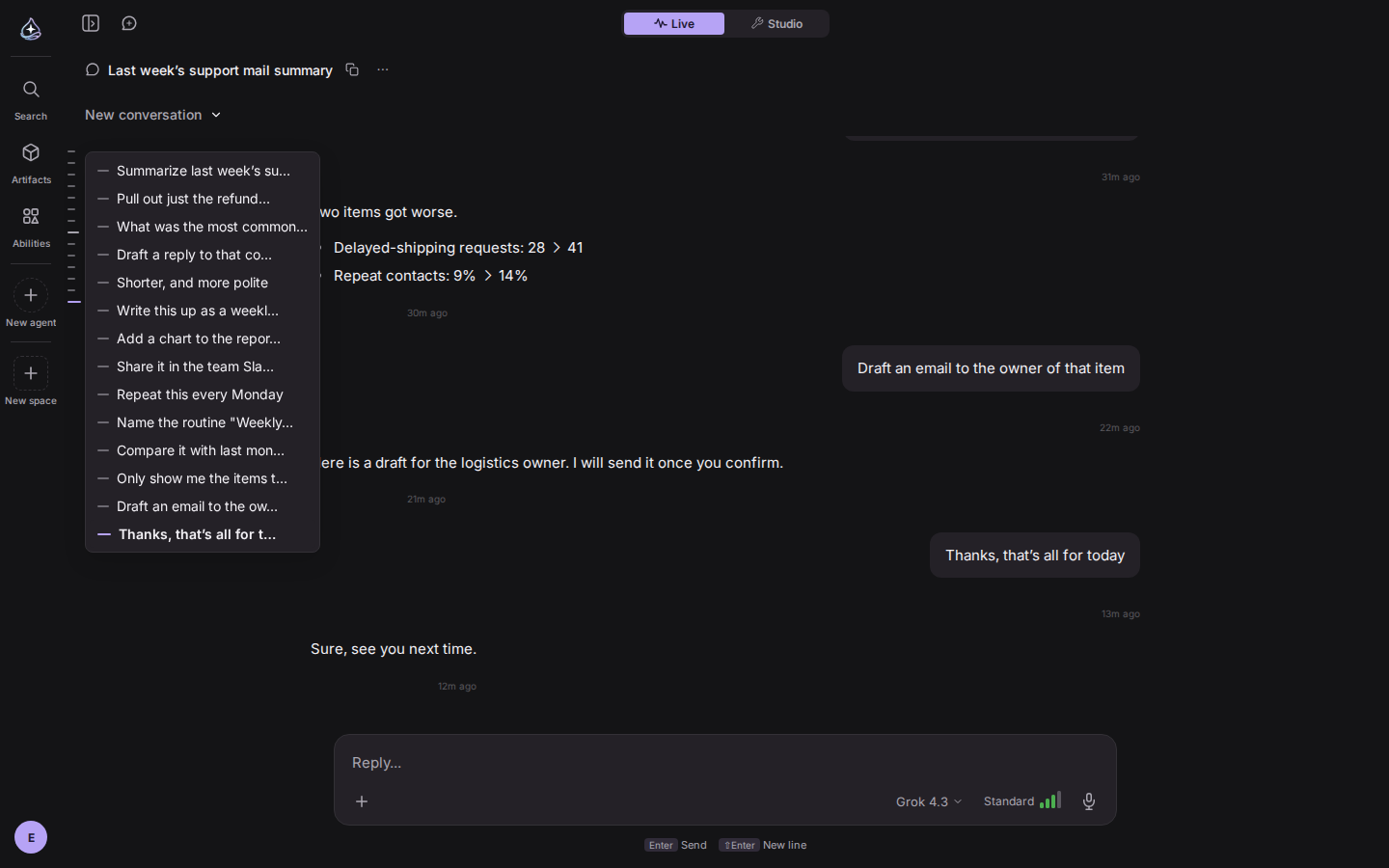
Long conversations are easy to get lost in. Each question now leaves a tick on the left edge. Hover to see the list of questions, click to jump.
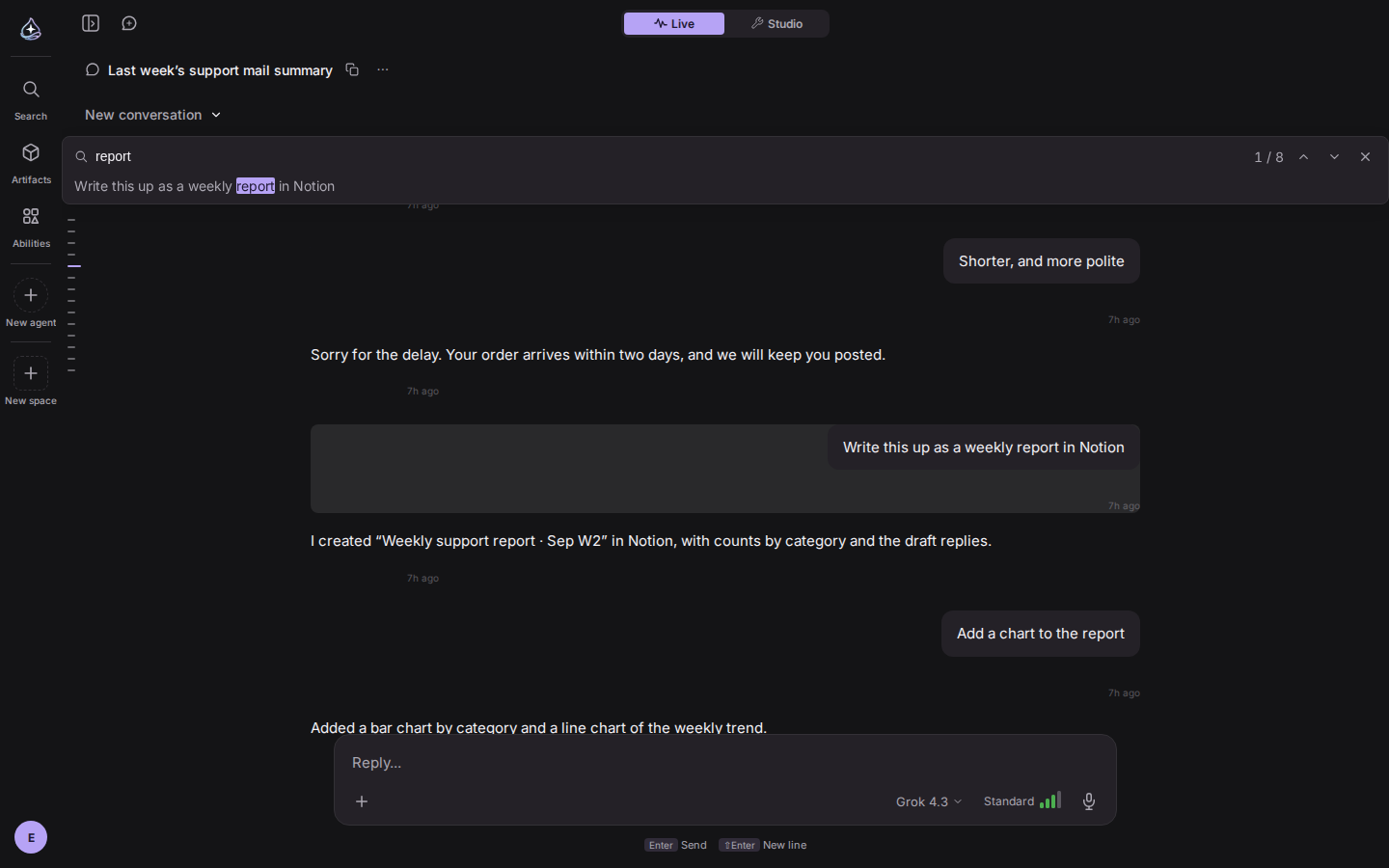
Scroll up and earlier messages load in, all the way back to the first one, even in a conversation hundreds of turns long. Press ⌘F to search inside the conversation. Enter moves to the next match, Shift+Enter to the previous, and you can see which one you are on. A divider shows where the model’s memory of the conversation was trimmed.
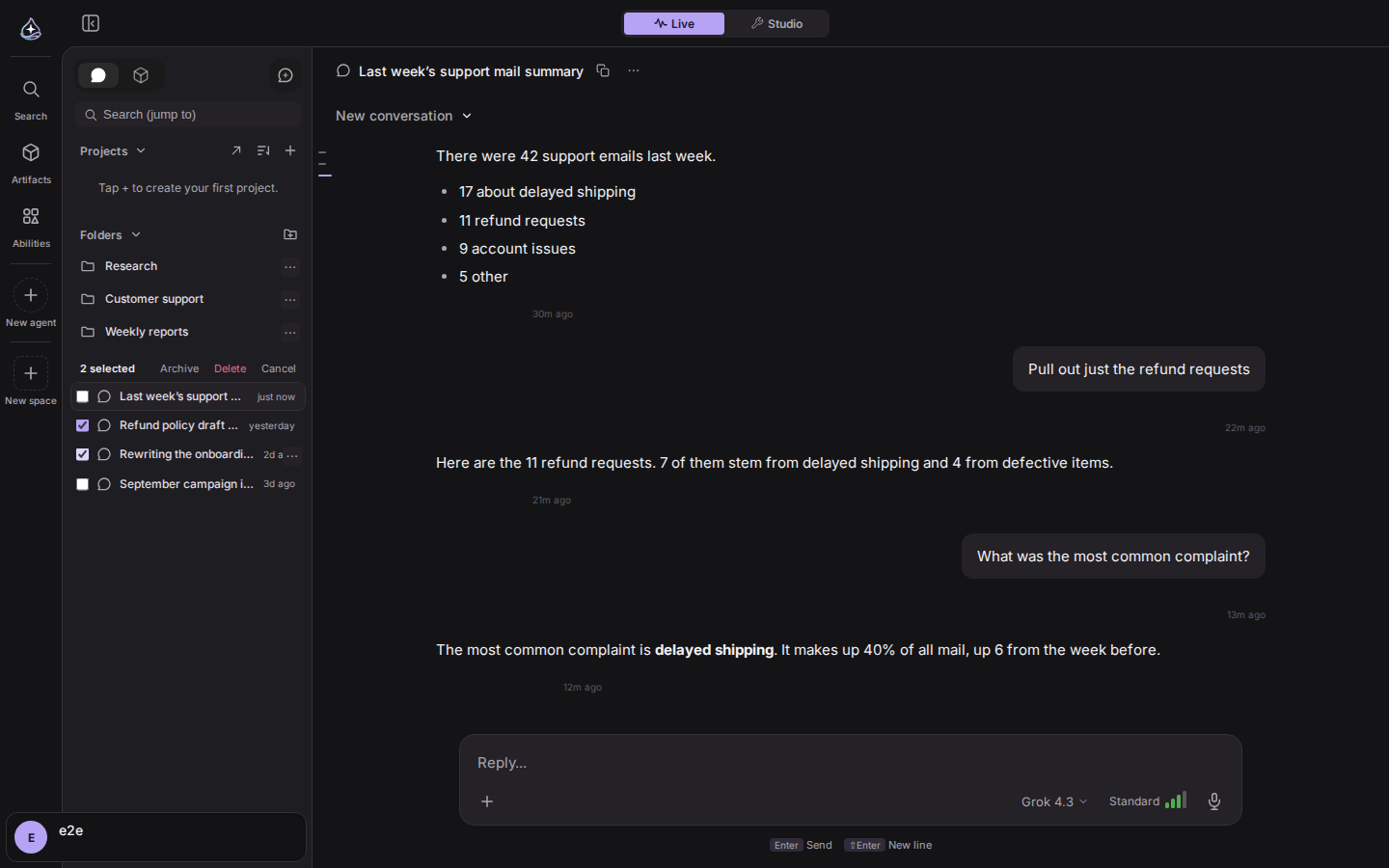
Make folders, name them, and drag conversations in. Select several conversations and archive or delete them at once. The ⌘K palette now has commands that act on the conversation you are looking at, and delete asks once more inside the palette.
Search covers tool output, and archived conversations can be included with a
toggle. A conversation waiting for your reply can be marked done without one.
Routines can be renamed, and /rename works as a one-liner. Pins, sort order,
and filters are saved to your account, so they are the same on every device.
Press the waveform button in the composer and the conversation turns into live voice. Speak and it hears you, then answers out loud. We dropped the transcribe-then-send step and moved the audio itself across the wire. Cut in while it is talking and it stops to listen.
Tools keep working while you talk. Connectors get called, and anything that needs approval shows up as a card on screen. Everything said is transcribed into the conversation, so you can drop voice, pick up the keyboard, and carry on from the same place. It handles English and Korean, and you choose the voice in settings.
Realtime voice is on the public API too. Open a session with
POST /api/public/v1/agents/{agent_id}/realtime, attach WebRTC or a WebSocket,
and your agent answers by voice. It is built for the places with no screen, like
a phone line or a kiosk.
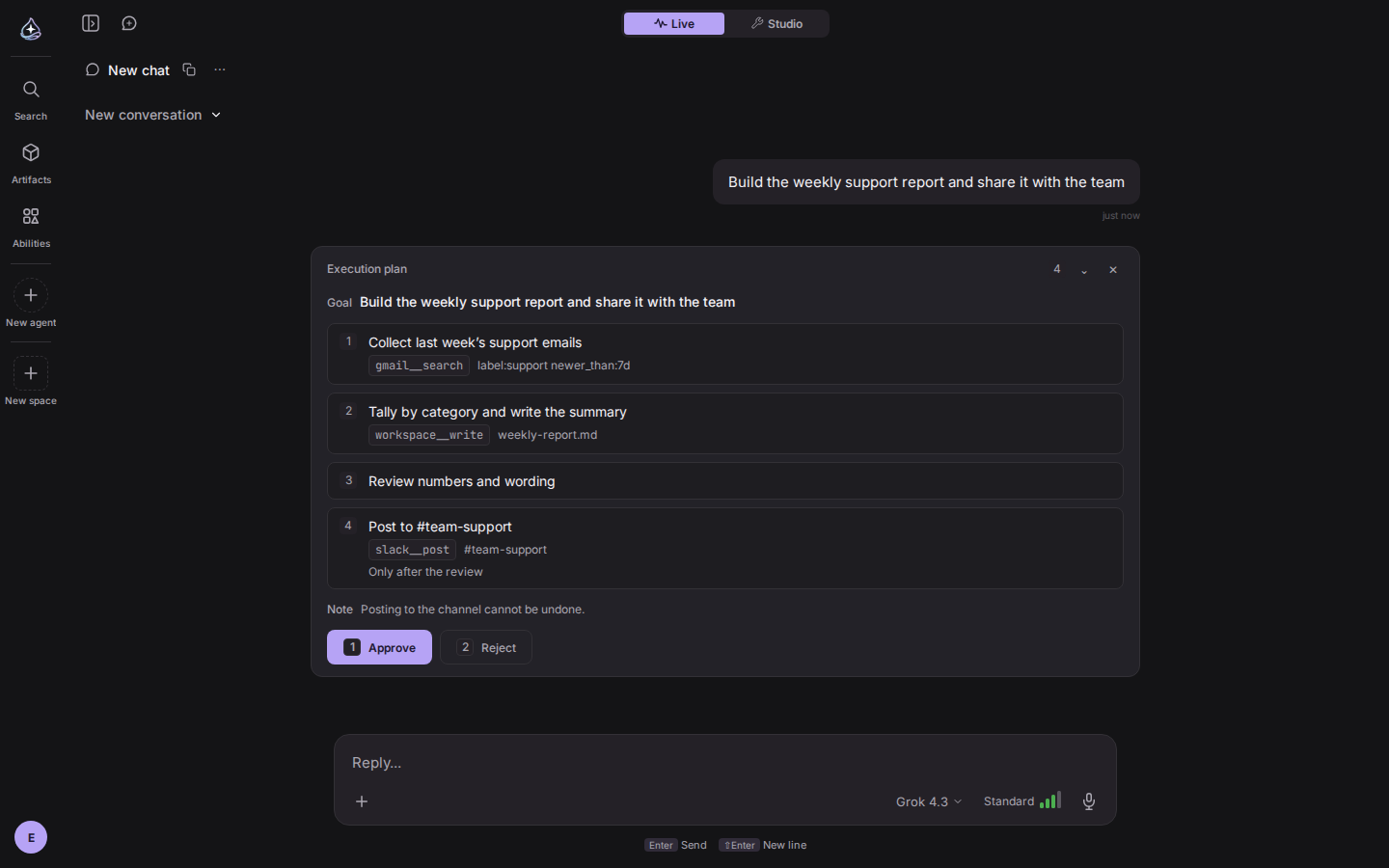
For work that takes several steps, a plan card comes first. The goal, the steps, and the tool and target for each step are laid out in one place. Approve and the agent proceeds. Reject and it asks again.
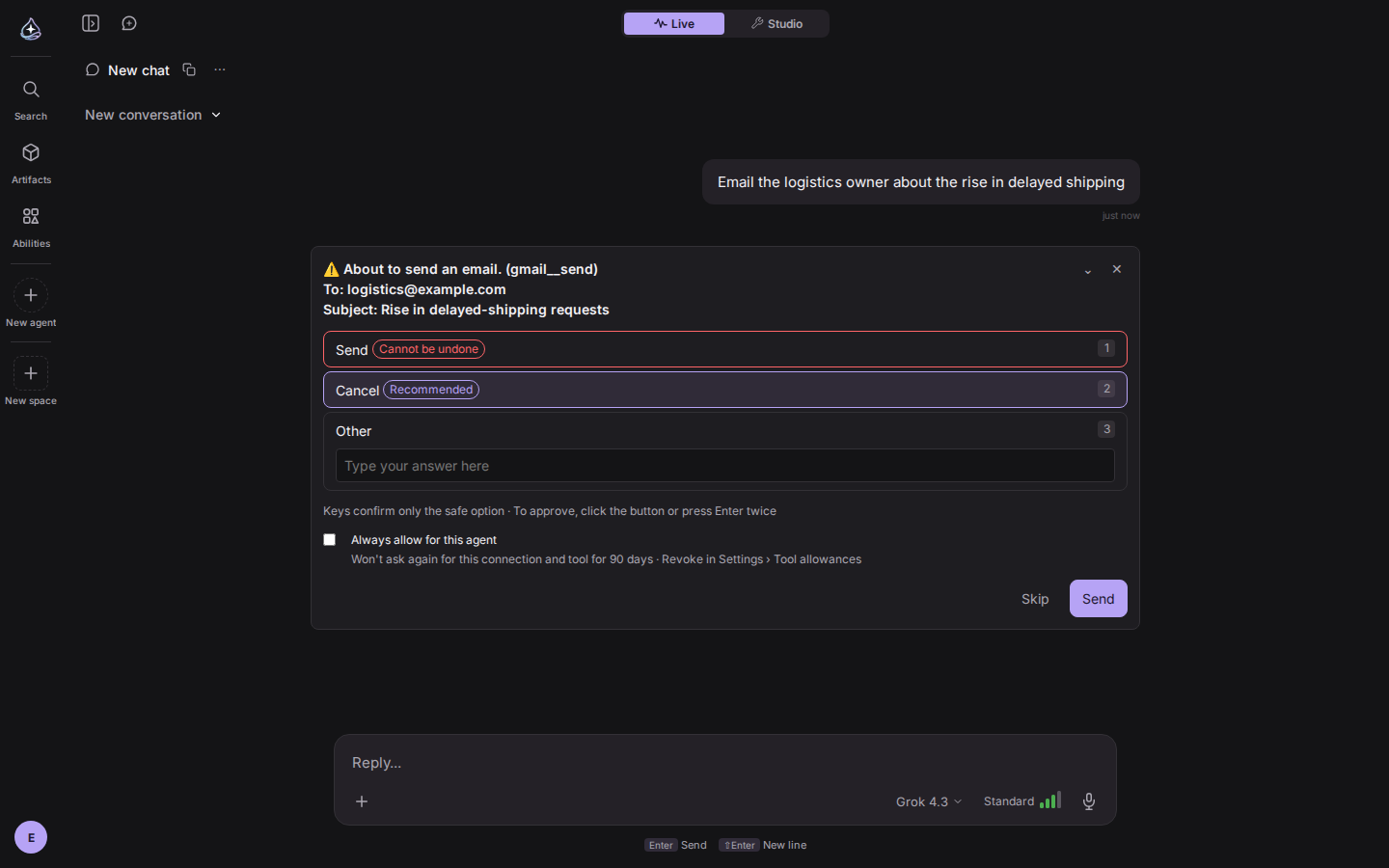
On an approval card, one keypress can only cancel. Approving takes a click, or Enter twice, and an Enter pressed mid-composition never leaks through. For tools you approve over and over, like sending mail, turn on “Always allow for this agent”. The same tool on the same connection goes unasked for 90 days, and you can cancel that in settings at any time. Irreversible actions like delete are never remembered.
If a conversation went the wrong way, rewind it from the message menu. It returns to the point before that message, and stays there when you come back.
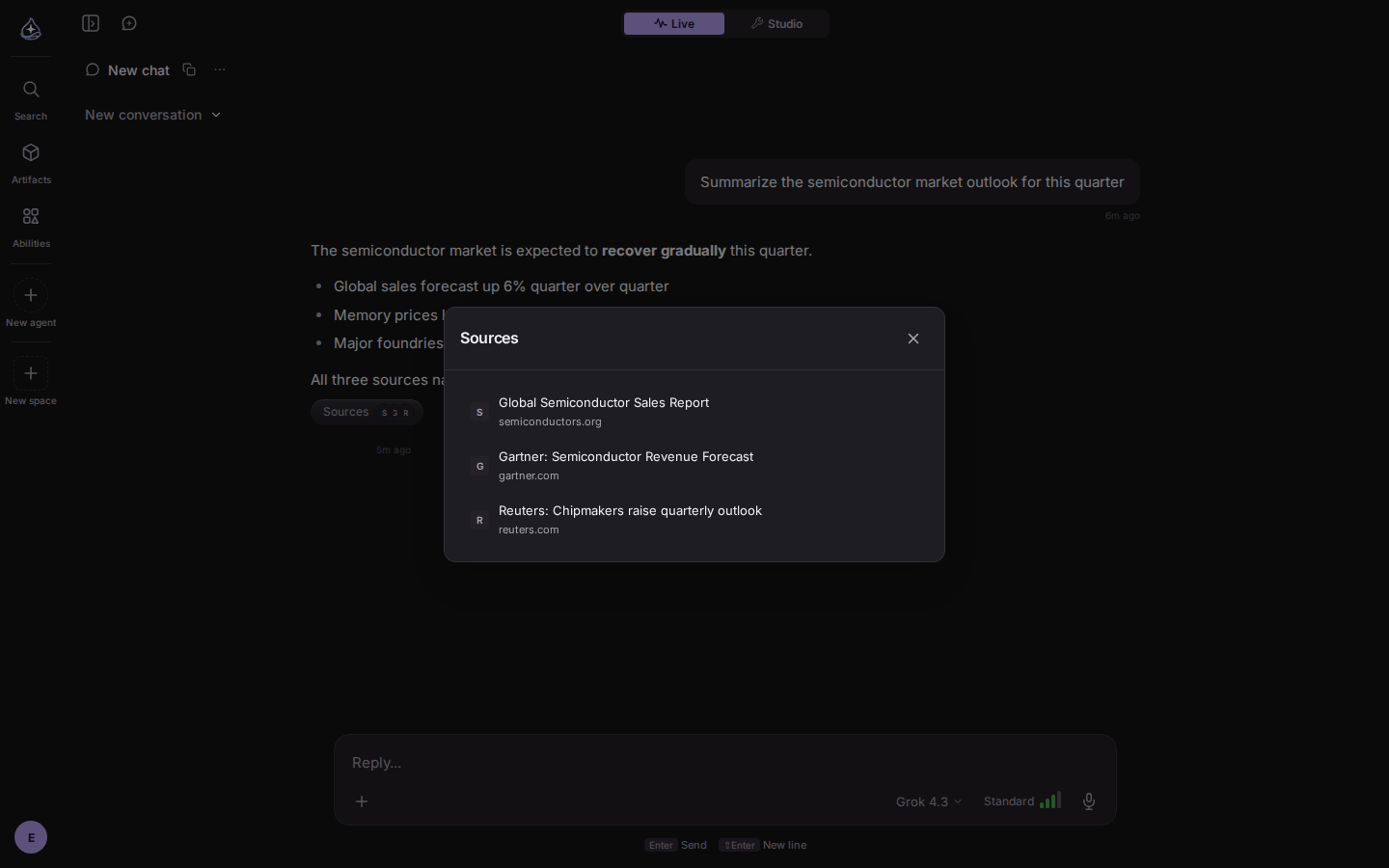
An answer that drew on outside material gets a sources chip underneath. Click it for titles and domains, each opening in a new tab. Math renders as LaTeX, and links you paste are clickable. Code blocks select whole on triple-click, copy from a right-click menu, and never drag the prompt symbol along.
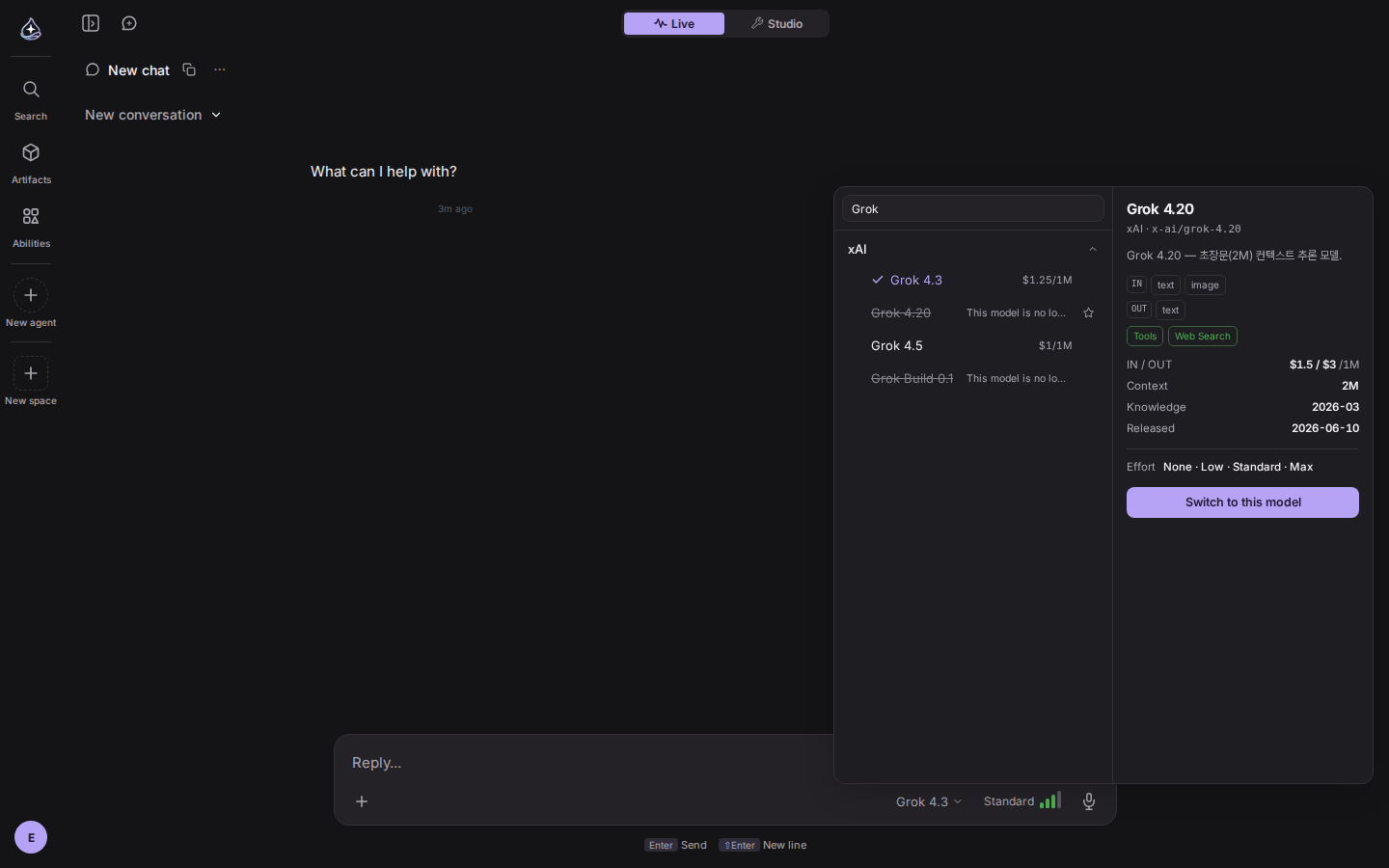
A model that has left the service stays in the list greyed out, with the reason next to it, and cannot be picked. A model that is briefly unstable only warns. If the model you were using disappears, the composer tells you first. Effort levels and Fast routing come from the live catalog, so nothing downgrades quietly.
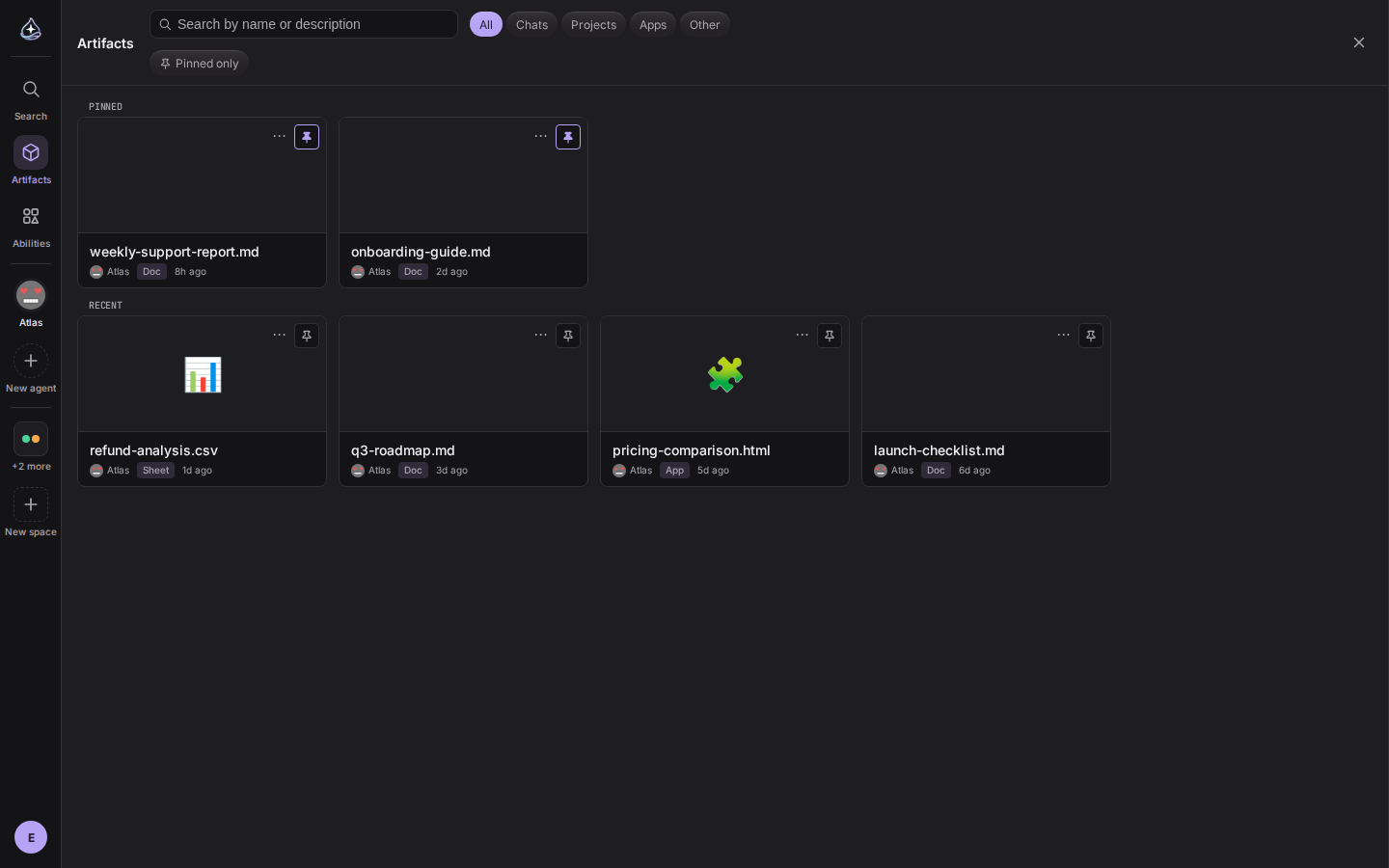
Search the gallery by name and filter by source: conversation, project, or app. Pins are saved to your account. The viewer shows the latest content after the agent re-saves a file, and renders images, PDFs, audio, and video inline. The original download works for every format. Copy link and open in place moved into the canvas header, and app files are shown as a directory tree.
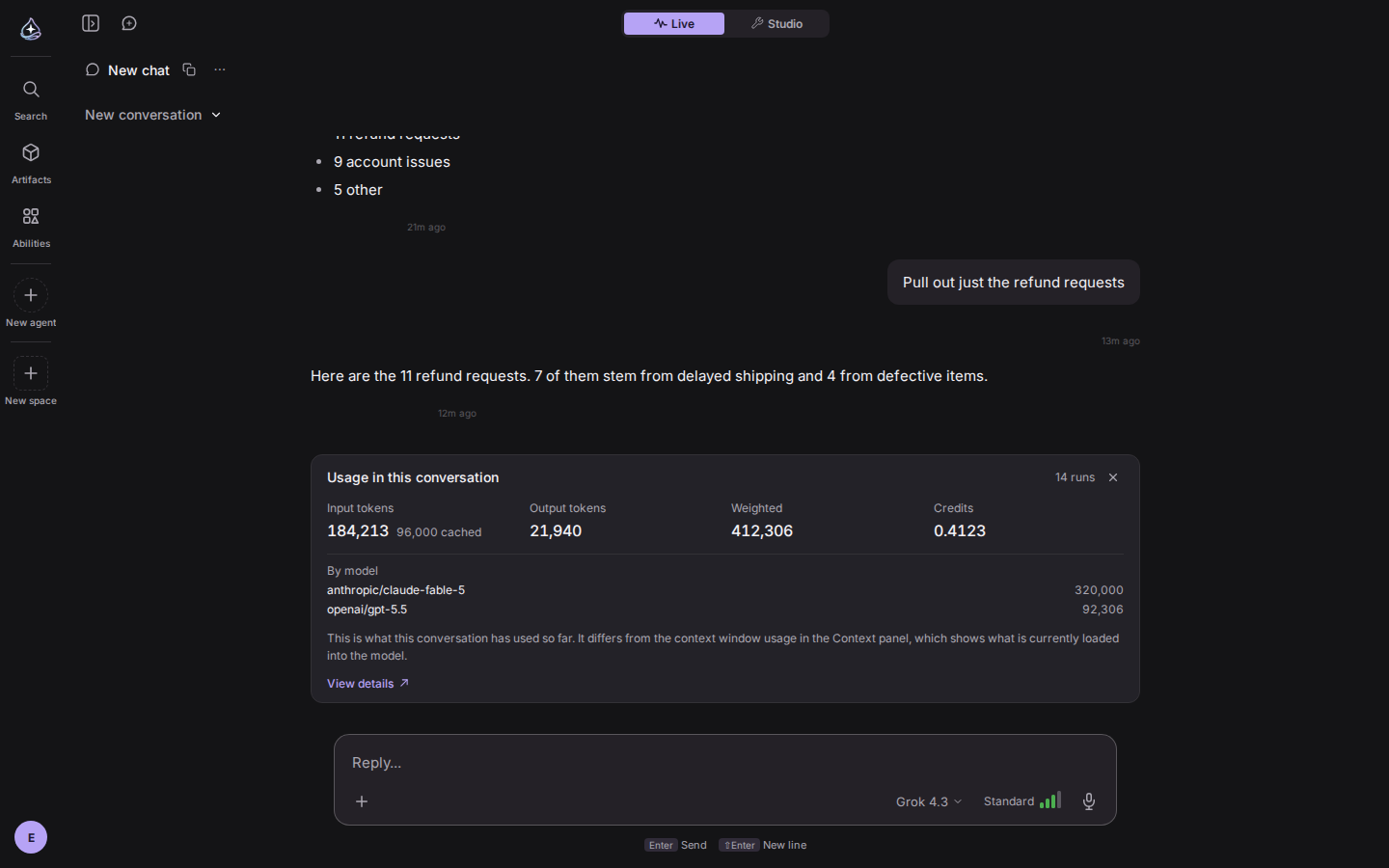
Type /usage in a conversation and a card shows the input and output tokens,
the weighted total, and the credits this conversation has used. It arrives
without a model call. The usage window opens from the account menu, and its
compute tab shows measured storage and which meters are wired up. When you hit a
limit, the banner says which limit and when it resets.
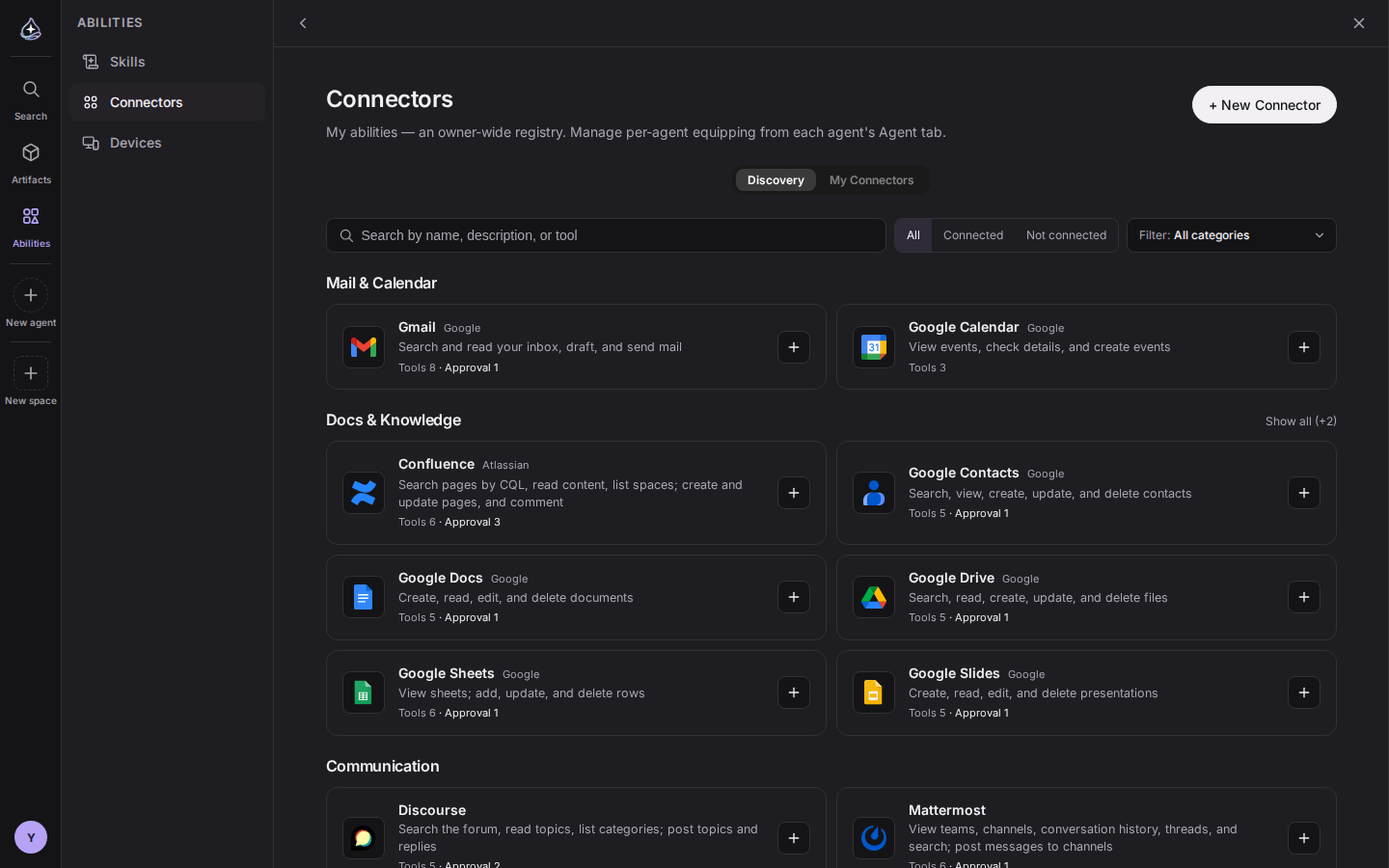
The catalog became a discovery view. Each row shows an icon, a summary, the number of tools, and how many need approval, with a single button to connect. Categories collapse, and there is search and a connection filter.
Dropbox, GitHub, Outlook, and Google Analytics are new. WordPress now covers categories, pages, and comments, and WhatsApp is a two-way channel. With many connectors attached, the tools shown to the model rotate within a budget, so your context does not fill up. Notion, Jira, Linear, and GitLab links pasted into a conversation are read through your own connection. Your agent can also be called as an MCP server.
Half of this release was repair work.
Turn on browser push and you get a notification when a run finishes, even with the tab closed. Notifications for the screen you are watching are not sent twice. On the Activity board you can stop a running task and see which tool it is using.
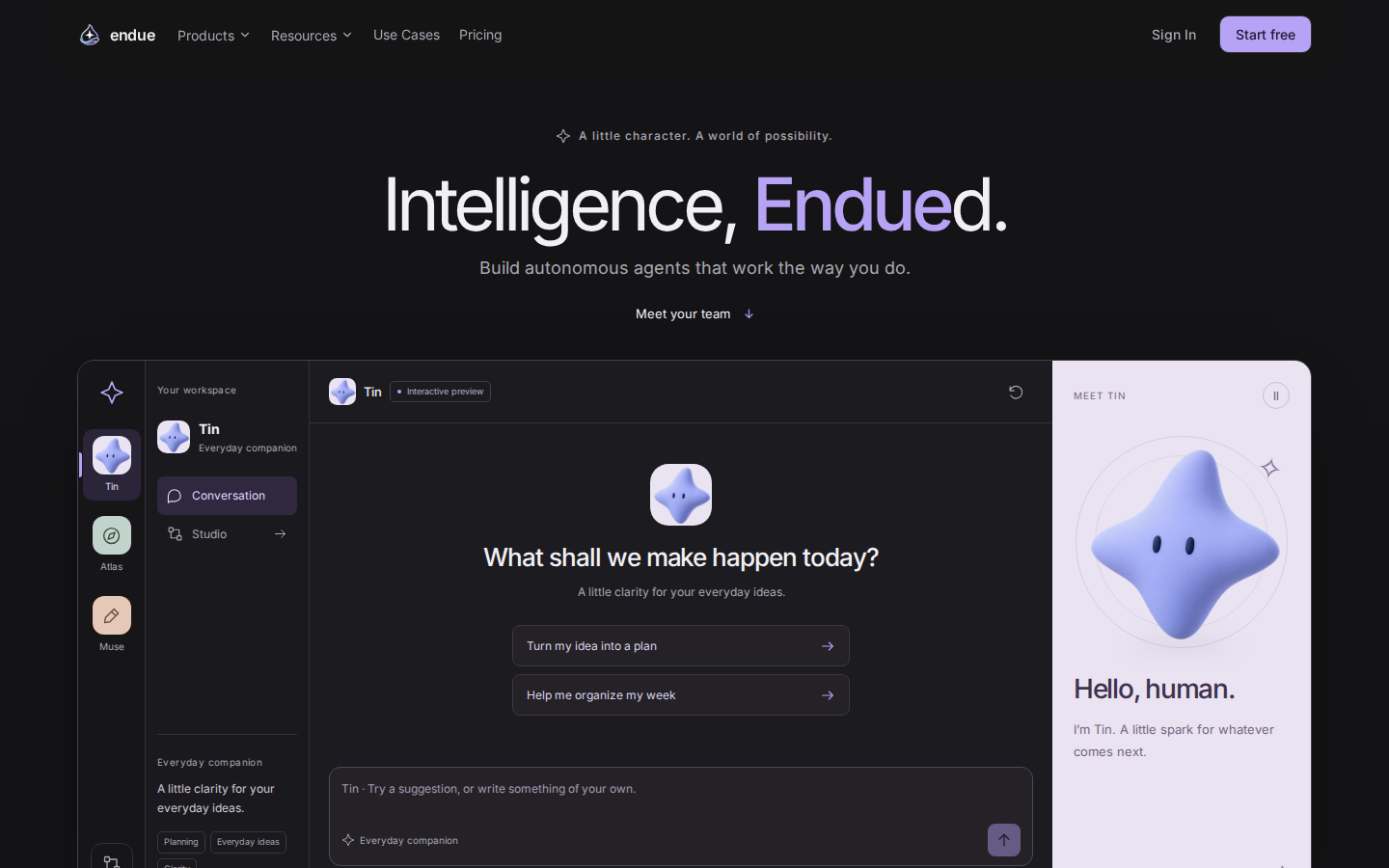
The console and the public pages now share one color system. On the landing page you can talk to three agents, Tin, Atlas, and Muse, without signing in.
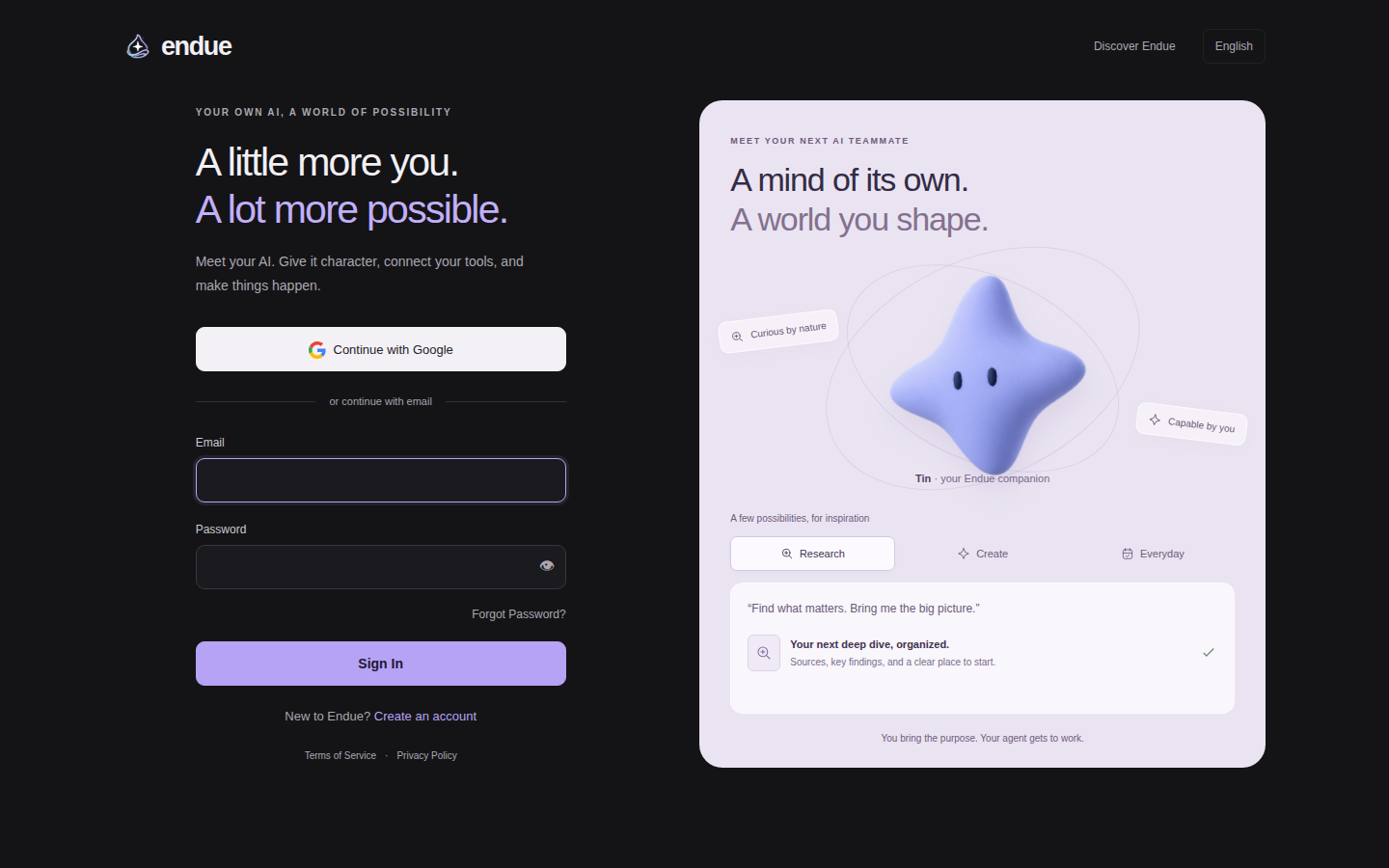
The sign-in page was rebuilt in two columns. Google gets you in directly, and signup asks for your consent to the terms. Pill buttons share one texture: a filled face with a light edge on top. The settings and usage windows are larger, settings reopen on the tab and section you last viewed, and modals work with the keyboard alone.
The docs have a Korean edition. All 36 pages are at /ko/docs, and the docs now
live under endue.ai/docs. The three home tabs and three new settings screens are
documented. The root landing is a static page, so it opens without the console
bundle. Business information is in the footer.
Gateway rate limits are enforced, and required token claims are checked. External URL fetches block internal networks and limit redirects and response size. Public pages and console docs carry security headers, and artifact previews render in isolation.