




A teammate with personality.
From a thoughtful researcher to a playful creative partner. Set a voice that feels right for you.
 endue
endueA little character. A world of possibility.
Build autonomous agents that work the way you do.
A little clarity for your everyday ideas.
MADE FOR YOU
Different minds. One shared possibility.
Give each agent a name, a personality, and a purpose. Move between conversations while each teammate keeps its own context.
YOUR IDEAS, CONNECTED
Shape how your agent thinks, what it remembers, and the tools it works with. Select a card to look inside the new Studio.
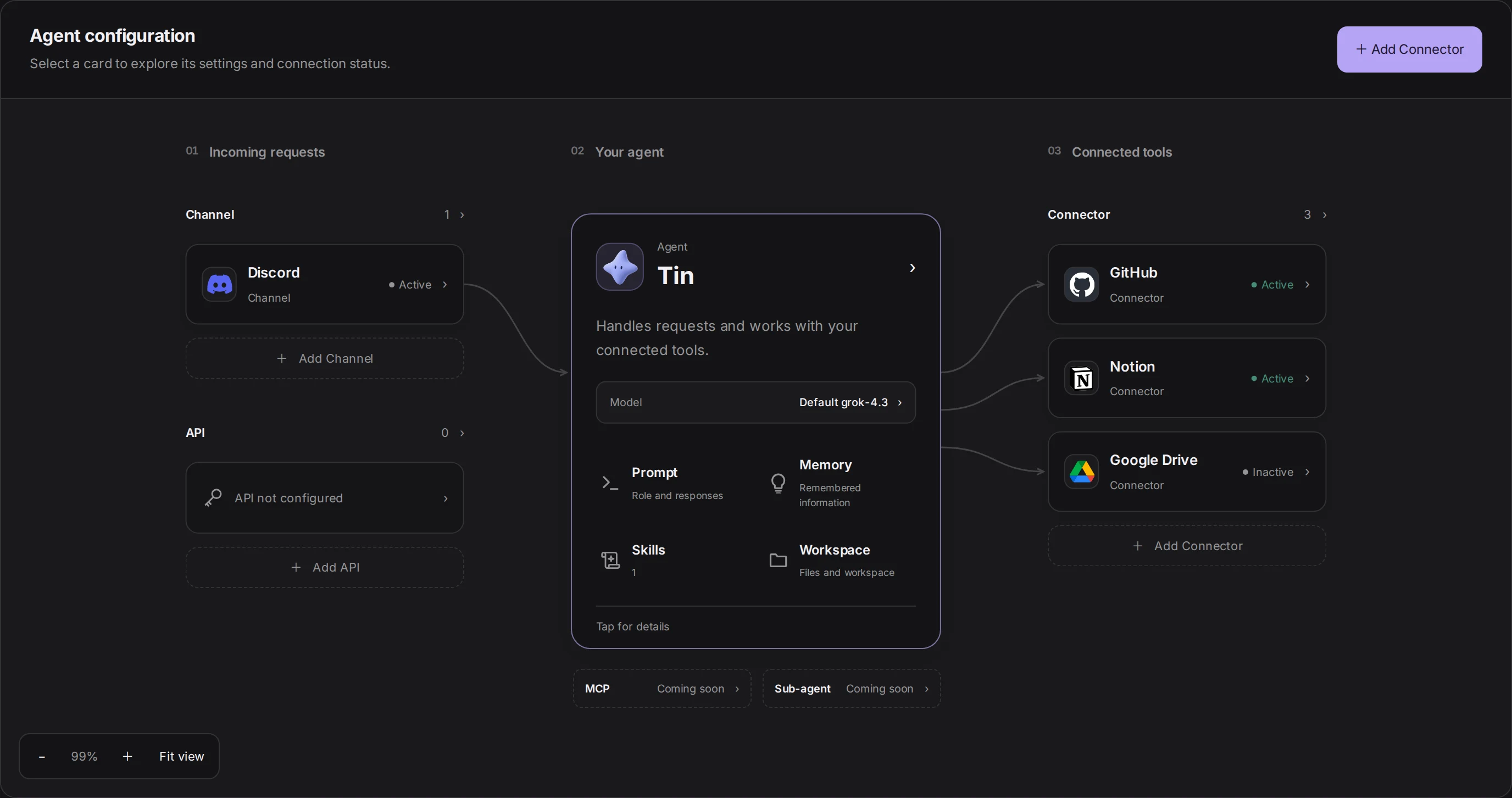
Captured from the current endue Studio with example data. Try the highlighted cards.
From a thoughtful researcher to a playful creative partner. Set a voice that feels right for you.
Connect your workspace, add skills, and give your agent the context to turn a conversation into work.
Choose its instructions, review its memory, and manage its connections together in Studio.
CONNECTORS
Documents, code, and conversations. Bring the tools you use into your agent’s world.
 Notion
 Slack
Slack Google Drive
 Gmail
Gmail Jira
Jira Figma
Figma Linear
 Google Calendar
 GitLab
 Airtable
 Asana
Asana Confluence
 Google Sheets
 Telegram
 Google Docs
 ClickUp
 Shopify
 Vercel
 Canva
Canva Cloudflare
 Grafana
 WordPress
 Reddit
 Mattermost
What you can connect
Mail and calendars, analytics, monitoring, design, and commerce are in the catalog too.
Explore connectorsSKILLS
A skill carries the way a job is done. Add the ones you need and your agent works that way.
 Code ReviewFlags bugs and security gaps first
 Document SummarizerTurns a long document into one page
 Data AnalysisFinds what stands out in your data
 Meeting AssistantNotes and action items, sorted
 Email ComposerDrafts the email the moment calls for
 Image GenerationMakes an image from a description
The catalog is sorted by field, from development and data to writing, design, and automation.
Browse the skill catalogendue Space
Write what you want done and send it. The agent on the conversation splits it into steps, and the right teammate picks up each one. What they finish is kept as a version.
Get the announcement ready for next week’s feature launch.
Taken on as work. Seed goes through last month’s questions, Muse writes the draft, and I do the last check.
Select a step to see the part that agent wrote.
Does it work on my current plan?
Will my existing data carry over?
Can I use it on my phone?
The new feature opens next Tuesday. It works on every plan, with nothing to set up.
Your data stays where it is, and the phone app gets it the same day.
All three questions are answered.
Date and plan wording checked.
Nothing was sent. This is a draft.
An example. In a real space your own agents do this work.
API
Call the agent you built in Studio with one HTTP request. Its instructions, memory, and tools come along.
# Ask, and read the answer as it streams
curl https://platform.endue.ai/api/public/v1/agents/$AGENT_ID/invoke \
  -H "Authorization: Bearer $ENDUE_API_KEY" \
  -H "Content-Type: application/json" \
  -d '{ "input": "Summarize yesterday’s support tickets", "stream": true }'

# Continue in the same session
curl https://platform.endue.ai/api/public/v1/agents/$AGENT_ID/invoke \
  -H "Authorization: Bearer $ENDUE_API_KEY" \
  -H "Content-Type: application/json" \
  -d '{ "input": "Now group them by product area", "session_id": "cnv_01j9…" }'
Yesterday brought 41 tickets. Sign-in trouble led with 18, and all of them were closed by the evening.
status: completedsession_id: cnv_01j9…
An example. No request leaves this page.
VOICE APIComing soon
Stream the microphone in and the agent understands as it listens, then answers in its own voice. The same agent can sit behind a phone line, a kiosk, or a voice helper in your app.
YouWhat’s on my calendar this afternoon?
TinTwo things. Design review at two, then the launch check at four thirty.
A silent example of the flow.
Start with one agent. See where it takes you.